

Smart fridge grocery list app solutions are transforming how we manage food at home—offering real-time inventory, automated shopping lists, and meal planning directly from your fridge’s touchscreen or smartphone. With rising market adoption and new AI-powered features, making the most of these apps can make your kitchen smarter but also brings real compatibility and privacy challenges you need to know.
Key Takeaways
- Smart fridges with grocery list apps are growing rapidly, driven by AI and sensor integration—yet privacy and compatibility still lack transparency.
- Not all features (like expiration alerts or inventory tracking) work flawlessly, and brand-specific integration is crucial for true automation.
- User and pricing data remain limited, so know what to expect before buying or installing a smart fridge grocery list app.
- The Core Concept: What Are Smart Fridge Grocery List Apps?
- Step-by-Step Guide: How to Get the Most from Smart Fridge Grocery List Apps
- Advanced Analysis & Common Pitfalls
- Conclusion
- FAQ
The Core Concept: What Are Smart Fridge Grocery List Apps?
Smart fridge grocery list apps combine in-fridge sensors, cameras, and mobile or touchscreen apps to help track what’s inside your refrigerator. These solutions automate tedious tasks: updating inventory, alerting you to expiring products, and compiling shopping lists. They help reduce food waste and make meal planning easier, especially when combined with AI suggestion engines and smart home integration.

The tech is advancing fast. The global AI fridge market reached USD 2.56 billion in 2024, with strong demand for features like inventory management, food waste reduction, and remote monitoring in North America and parts of Asia.
Brands like Samsung Family Hub offer built-in cameras, RFID scanning, and even touchscreen-based shopping list apps accessed directly from your fridge. Some models connect to external grocery delivery services—others are more limited, providing basic notifications or remote viewing.
For a practical look at hardware integration, check our detailed review of GE Profile Smart Fridge Barcode Scanner capabilities and how RFID/barcode scanning adds real-world usefulness.
Step-by-Step Guide: How to Get the Most from Smart Fridge Grocery List Apps
Ready to make your kitchen routines smarter? Follow these steps to set up and optimize your smart fridge grocery list app:
- Check Compatibility
Before installing any app or syncing devices, verify your smart fridge model supports the grocery list app you want. If you have a Samsung Family Hub, you’ll get richest features like inventory-by-camera, direct barcode scanning, and AI-powered expiration tracking. Other brands might limit you to manual list entries or basic alerts.
See how alternative appliances use AI in our AI Cooking Assistant Induction Range overview. - Connect the App and Enable Inventory Tracking
Download the app recommended for your fridge brand—then follow their pairing process (WiFi/Bluetooth/cloud account). Enable inventory tracking features, and walk through the initial setup: entering existing grocery items, scanning product barcodes if available, and scheduling in-app reminders. - Use Cameras, Sensors, and Apps for Inventory
For smart fridges with built-in cameras, activate “View Inside” mode from the app or fridge screen. Many models also use RFID/barcode scanning—follow prompts to scan each new grocery purchase. If camera quality disappoints, supplement it with manual item entry for key products. - Set Up Expiration and Restock Alerts
If available, configure expiration notifications—linking them to your calendar if the app supports it. Some fridges will let you scan a product, enter its expiry date, and receive reminders as it nears spoilage. - Leverage Connected Shopping Features
Add missing items directly to the in-app shopping list. Sync this list with your phone or preferred e-commerce platform. If the app integrates with grocery delivery services (like Instacart), you can order replacements with a few taps. - Analyze Usage and Food Waste
Over time, review the app’s usage data to see what you waste most often. Tweak your grocery buying habits based on this feedback—for example, buying less of what often expires.
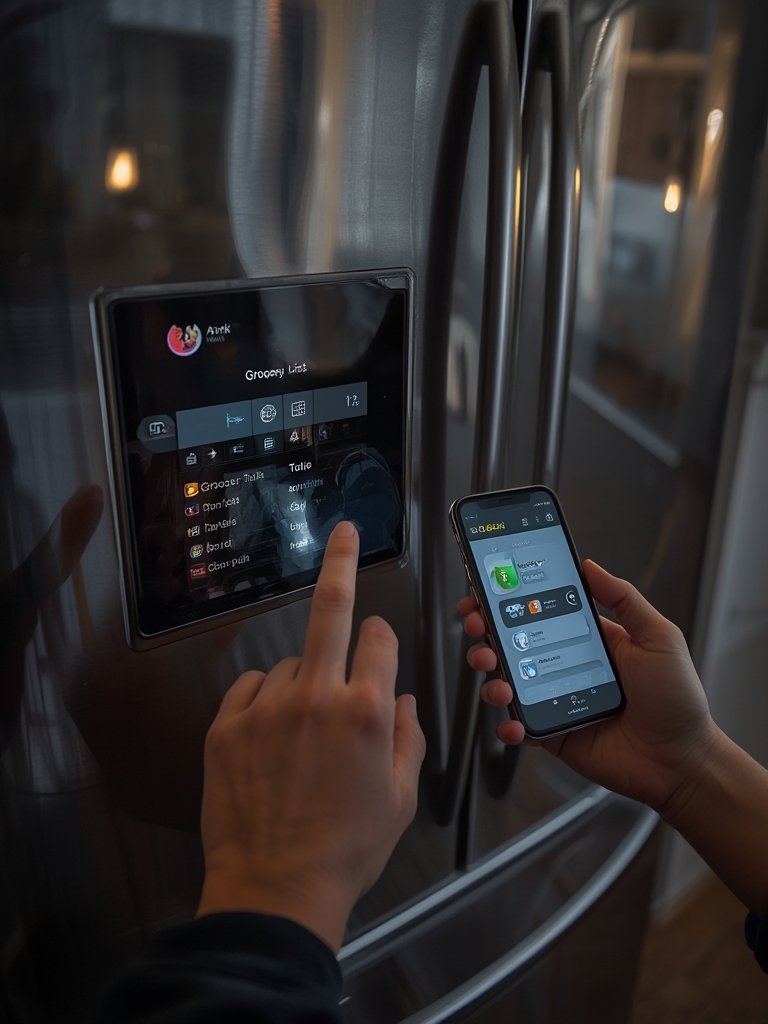
Not sure how the smart fridge ecosystem compares? Brand features can change fast—as noted in recent market reports and our own GE Profile Smart Fridge Barcode Scanner guide.
Advanced Analysis & Common Pitfalls
Even with rapid technology growth, smart fridge grocery list apps are not flawless. Market research shows steady demand and innovation, but there’s little public data about actual user pains or how accurately features perform in the real world.
- Inaccurate Inventory Tracking: Most complaints stem from cameras missing partially obscured items, sensors not detecting all product types, or failure to adjust for multiple users removing or adding groceries.
- Limited App Integration: Integration with third-party shopping/delivery is often limited by region, brand, or subscription model. Some basic fridges offer only manual lists or lack smartphone app support entirely.
- Expiration Reminders Lack Reliability: Most current alerts rely on the user entering or scanning dates; AI-powered detection is rare and sometimes inaccurate.
- Privacy Concerns: Many users have questions about how fridge cameras or RFID data are stored and transmitted—whether footage or inventory data could be hacked or accessed by unauthorized parties. Reports have highlighted this as a major area of uncertainty (see market report).
- Cost and Compatibility: Entry prices for smart fridges with these features are still high, and there is little public info about subscription costs or ongoing app fees. Cheaper models may lack AI, quality displays, or full app support.
| Feature | Samsung | General/Generic | AI Fridges (New Brands) |
|---|---|---|---|
| Camera Quality | Full-color, live view, inside door | Often basic/image only | Varies—often unlisted |
| Inventory Tech | RFID/barcode + AI/manual entry | Manual entry/camera only | AI prediction, may lack RFID |
| App Ecosystem | Family Hub, Mastercard Groceries, SmartThings | Limited, often single-app | Almost always cloud-based only |
| Expiration Reminders | AI + manual date scan/input | Manual input mostly | AI predictions, unproven reliability |
For extra integration with other IoT kitchen devices, also see our Hisense AI Induction Range review.
Conclusion
Smart fridge grocery list apps deliver real convenience, reducing food waste and making shopping simpler—but are not a silver bullet. Expect a learning curve, setup and compatibility gaps, and know that current tech is best at reminding you about what you already track, not doing the work for you. The smart fridge grocery list app ecosystem is expanding, but research carefully and stick with proven brands for the best outcome.
Ready to automate your kitchen routines? Compare models, check app compatibility, and dive into our AI Cooking Assistant Induction Range and barcode scanner reviews for more ways to maximize your smart home.
FAQ
Are smart fridge grocery list apps compatible with all refrigerators?
No, most are proprietary and designed for select smart models—usually newer, higher-end fridges from brands like Samsung. Older refrigerators may support manual tracking via standalone apps, but lack built-in integration.
Do smart fridge grocery list apps really reduce food waste?
They can help if you keep up with inventory inputs and expiry tracking, but there’s little published data proving dramatic reductions. Apps are most effective when paired with habit changes like regular list reviews and prompt grocery management.
How secure is the data from smart fridge cameras or RFID?
Privacy remains a concern, as noted in industry reports. Always use strong passwords, check privacy policies, and look for brands that encrypt your data.
What happens if the fridge loses WiFi or power?
Inventory and list syncing may pause, and expiry notifications can be missed. Many fridges cache lists locally and update when back online, but always check offline limitations before purchase. For added protection, consider an APC Back-UPS Battery Backup (for Router/Modem) to reduce downtime when your fridge loses WiFi or power.
Are there ongoing fees for smart fridge apps?
Some brands offer basic list tracking for free, but advanced cloud features or third-party integrations may require a subscription or premium upgrade. Full price transparency isn’t common—ask the manufacturer before buying.
[…] those who need constant connectivity or specialty cooking functions, consider complements like a smart fridge grocery list app to modernize your kitchen […]
[…] of the biggest sources of frustration—and lost money. 🔥 Hacks & Tricks: Try mixing a smart fridge grocery list app with grocery delivery integrations—many AI assistants can sync directly with Instacart or online […]
[…] family recipes or ethnic foods not in its built-in list, which is a huge edge over competitors like smart fridge grocery list apps that only track barcodes or basic […]
[…] more tips to streamline cleanup and ingredient management, consider modernizing your kitchen with a smart fridge grocery list app. If you’re making slushies for a crowd, options like the Double Stack XL air fryer can make […]
[…] management? Consider integrating tools like an AI cooking assistant induction range or using a smart fridge grocery list app to keep your favorite pickle flavored foods on […]
[…] to match your own tolerance. If you’re storing your hot honey in a smart fridge, check out the best smart fridge grocery list apps for easy ingredient tracking and shelf-life […]
[…] easier by letting you know when you need to replenish your cottage cheese supply—or you can use a smart grocery list app to automatically restock […]
[…] AI cooking assistant induction ranges (AI cooking assistant) and smart fridge grocery list apps (smart fridge grocery list app) for a cohesive […]
[…] & Tricks: Use a smart fridge with grocery list automation—like those highlighted in our smart fridge grocery list app guide—to streamline reordering your staples across smart fridges food delivery […]