

Looking to buy or upgrade to an AI cooking assistant induction range but not sure what’s fact or just shiny marketing? Here’s what the manufacturers, market data, and actual cooks are reporting in 2024—including what nobody else will tell you about real-world usability, hidden challenges, and how to actually put smart cooking tech to work in your kitchen.
Key Takeaways
- AI cooking assistant induction ranges are a premium market segment with fast growth and advanced features, but have a learning curve and real-world limitations.
- Major pitfalls include unpolished recipe guidance, complex touch screens, and challenges with long-term support or connectivity.
- Manufacturers promise efficiency and precision, yet few publish actual numbers—buyer research and user feedback remain essential.
- 1. The Core Concept: What an AI Cooking Assistant Induction Range Really Is
- 2. Step-by-Step Guide: Getting Results from Your Smart Induction Cooking Assistant
- 3. Advanced Analysis & Common Pitfalls
- 4. Conclusion
- 5. FAQ
The Core Concept: What an AI Cooking Assistant Induction Range Really Is
An AI cooking assistant induction range is more than a regular induction stovetop. It combines powerful induction hardware with built-in AI software. This AI controls heating and power settings, gives step-by-step recipe guidance, integrates with smart home systems, and connects to mobile apps or voice assistants.
Induction already heats quickly and uses energy efficiently. With an AI assistant, the range understands recipes, adjusts power to avoid burning, helps beginners cook complex dishes, and can even integrate with broader smart kitchen ecosystems. In 2024, these models are gaining traction, with market size estimates hinting at $1.6‒1.8 billion for smart induction ranges by 2026 and annual growth rates above 8%. [Fact.MR]

The “AI” part means the range can recommend recipes, optimize them for what you have, guide you on each cooking stage, and adapt in real time. This is possible due to sensors (for pan detection, temperature), wireless connectivity, energy monitoring, and software that “learns” your cooking style.
Adoption is highest in premium brands: Samsung, Whirlpool, LG, Bosch, Electrolux. [Cognitive Market Research] These ranges are designed for residential kitchens that want precision and convenience, but actual buyer satisfaction and long-term support still varies.
Related trends include the growing role of induction across all household cooking appliances, now at about 35% of kitchens and projected to rise. Many smart cooking setups also incorporate AI-driven ovens, multicookers, air fryers, and more. [Dimension Market Research]
Step-by-Step Guide: Getting Results from Your Smart Induction Cooking Assistant
-
Unbox and Position Your Range
Place your AI-powered induction range in its intended location. Level it, ensure ventilation, and connect it according to the manufacturer’s safety directions. -
Connect to Power, Wi-Fi, and Set Up the Companion App
Plug in according to the specific voltage requirement (usually 240V for ranges), then follow screen or manual instructions to pair with your home Wi-Fi and install any required phone app. -
Register Your Device and Update Firmware
Device registration with the brand is often mandatory for unlocking full AI features, software updates, and warranty. Check for firmware updates before your first meal. Updates may enable new recipes or fix bugs. -
Link Voice Assistants or Home Automation (Optional)
If you use Alexa, Google Home, or Apple HomeKit, follow app guidance to connect your range. Matter and other standards may allow for local automation. -
Choose a Recipe from the Built-In AI Library or App
Browse or search recipes. Select one and let the AI assistant guide you. Some models let you scan ingredient barcodes, filter by what’s in your pantry, or tweak serving sizes. -
Prep Ingredients and Cookware
Make sure your cookware is induction-compatible. Prepare all ingredients as the software instructs. Some ranges can adapt timing if you’re a little slow or fast in prepping. -
Follow On-Screen or Voice Guidance
The AI assistant will cue you to add, stir, or adjust ingredients. It automatically changes burner power and timers. Most let you pause, repeat steps, or override instructions if needed. -
Monitor and Adjust as Needed
Use the app to check progress. You can often get notifications if things go off track. If sensors detect overheating or pan issues, the device warns you. -
Clean Up
Induction surfaces cool quickly and are easy to wipe down. Don’t forget to turn off child locks or power-saving settings if engaged.
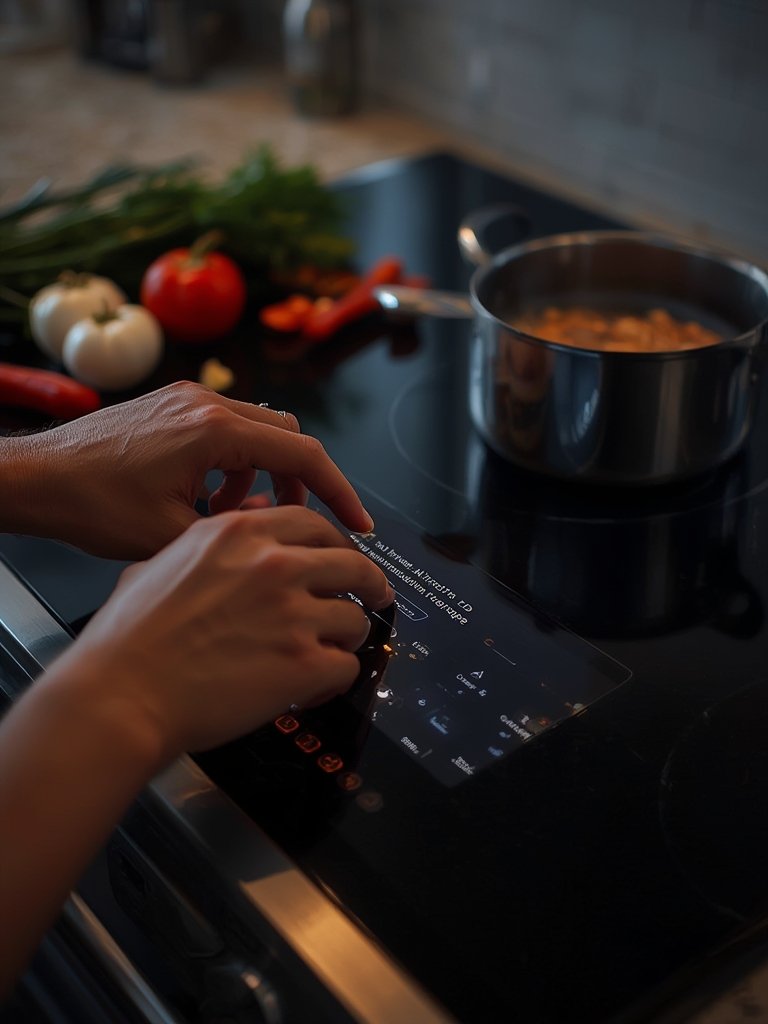
To maximize value, integrate it into a smart home system. Some induction AI ranges can automate ventilation (via smart hood integration), sync with other appliances, or alert your phone if someone leaves a burner on. User reports show these links add more day-to-day value than just novelty AI recipes.
Want more ways to save after a big appliance purchase? See Pet Supplies Plus Medina: 7 Best Ways to Save With This Proven Guide for advice that works across categories.
Finally—spend 15 minutes on the companion app settings. Set energy-saving modes, notification preferences, and confirm warranty activation. Some brands let you schedule “auto shut-off” or set up a regular maintenance reminder.
Advanced Analysis & Common Pitfalls
While AI cooking assistant induction ranges deliver on many promises, several realistic issues are reported by buyers and described—at least indirectly—in 2024 market data. Here’s what to watch for, and which features truly matter in practice.
Common Pitfalls Buyers Actually Face
- Complex, unintuitive touch screens: Glass-panel touch UIs can frustrate users, especially when moving between AI and manual modes. Wet or greasy fingers often lead to mis-touches. [Source]
- Painful setup and onboarding: Connecting to Wi-Fi, registering, and linking apps is more cumbersome than manufacturers admit, with many needing multiple retries.
- Unreliable wireless/app performance: Even “premium” devices can lose Wi-Fi or Bluetooth connections, causing recipe steps, notifications, or voice commands to fail.
- Recipe guidance not always reliable: The AI sometimes misinterprets pan size, ingredient substitutions, or user errors, producing mismatched cook times or missed steps—especially for regional or non-standard dishes.
- Durability/Support unknowns: With few published support timelines, it’s unclear if all AI features will work six years down the line, or if firmware/app updates will stop after a few product cycles.
- Spare part worries: Replacement costs for touch panels or proprietary control boards can be high, and availability is not guaranteed after end-of-life.
See also our advice on saving on premium upgrades for broader product lifecycle success.
| Feature | What You Get (2024 AI Assistant Induction Range) | Common Downsides |
| Recipe Library & AI | Hundreds of guided recipes, sometimes adaptive to your ingredients. | Regional cuisines, substitutions, and ingredient sizes can confuse AI. Custom recipes limited. |
| Touch & Gesture Control | Knob-free glass panels, swipe/press for all functions, attractive look. | Fingerprints, lag, and difficulty with wet hands reported. Tactile feedback lacking for some users. |
| Wireless/Smart Home Integration | Voice commands (Alexa/Google/Siri), alerts to phone, potential energy insights. | Dropped connections, app bugs, and privacy questions are frequent support topics. |
| AI Cooking Automation | Set and forget for simple recipes; safety cutoffs if pan removed or overheating. | AI may miss subtle signs of doneness; large or irregular pans can cause pan detection faults. |
| Long-Term Support | Over-the-air firmware updates, sometimes for years after purchase. | Uncertain app support timeline, especially after product generations retire. |
On the upside, induction ranges are still leading for energy savings and quick heating—unlike AI features, these benefits are well established and rarely disputed. [Source]
Conclusion
AI cooking assistant induction ranges promise more precision, less babysitting, and fun recipe discovery. However, real-world data shows you need to approach these as evolving tools, not magic chefs. Interface quirks, setup frustration, and long-term support are real issues, and actual time or energy savings from the AI are still hard to quantify. If you want the best of both worlds—speed and savings—start with high-quality induction, then add AI features as needed. And if you’re committed, don’t forget to keep your AI cooking assistant induction range up to date, give the AI a chance to “learn” your habits, and always check for practical support or spare part access before buying.
Ready to make the leap? Compare models, research user feedback, and focus on the basics like easy UI, robust connectivity, and update support—not just flashy “AI-powered” logos. For more in-depth saving strategies, check out these proven guide tips and other kitchen upgrades across our resource library.
FAQ
Does an AI cooking assistant induction range really save time compared to regular induction or gas?
Manufacturers and reports claim time savings, especially for complex recipes. However, there are no solid public studies quantifying these gains in 2024. Real results depend on how often you use guided modes and your experience level.
Can I use my existing cookware with an AI induction range?
If your cookware works with traditional induction (magnetic, flat-bottomed), it will work here. The AI features won’t compensate for incompatible pans. Lightweight or oddly shaped pans can sometimes trigger pan detection errors.
Do I need to connect my AI induction range to Wi-Fi or a smart home for it to work?
No—but core AI assistant features, recipe updates, remote alerts, and firmware improvements often require an online connection. Offline, you get basic induction controls but may lose most AI benefits.
Is my data private with these connected ranges?
Most brands collect some telemetry (usage stats, diagnostics) to improve features. Privacy policies vary, and few specify exactly what’s sent or stored. There is little public data about what happens if a brand is acquired or sunsets its cloud service.
What if the app or AI service is discontinued?
This is a real risk. Manufacturers almost never guarantee perpetual support. Most core induction functions will still work, but advanced AI recipe libraries and remote/voice features may not if the app is discontinued or cloud services turn off.
[…] just cooking guidance. For those curious about the world of AI-guided cooking, see this dedicated AI Cooking Assistant Induction Range guide for a brand-neutral […]
[…] Aggressive discounts (averaging about 31 percent off MSRP in the US market according to external pricing analysis) make it accessible. The downside is you won’t get the huge touchscreens or advanced camera-based cooking sensors that Samsung’s and LG’s best models feature. For a more in-depth dive into the tech and how it compares, check out our AI Cooking Assistant Induction Range guide. […]
[…] For a closer look at how smart appliances assist in the kitchen, see our guide on the AI Cooking Assistant Induction Range. […]
[…] to compare similar multi-functional smart ranges? See our review on the AI Cooking Assistant Induction Range, which delves into how smart kitchen tech is shaping home […]
[…] your double stack air fryer in a smart kitchen setup—like those described in our guide to the AI Cooking Assistant Induction Range—for voice guidance and time-saving cooking reminders. Planning meals? Try inventory apps […]
[…] more connected cooking experiences, compare these manual models with premium innovations like the AI cooking assistant induction range that guides you step by step through recipes with automation and […]
[…] is still lacking in the market. Monitor updates, including smart feature integration through AI cooking ranges, which sometimes bundle their own air fryer baskets with better safety […]
[…] versions of fried foods. If you’re looking for more high-tech cooker options, explore the AI Cooking Assistant Induction Range for a connected kitchen […]
[…] limit you to manual list entries or basic alerts. See how alternative appliances use AI in our AI Cooking Assistant Induction Range […]
[…] for other ways to modernize your kitchen? Explore our AI cooking assistant induction range review for smart appliance […]
[…] tips for making restaurant-style cocktails, or investigate automated kitchen upgrades with the AI cooking assistant induction range for hands-off recipe prep. For families who want to minimize waste, pairing this with a smart […]
[…] barista coffee machine supports app integration, link it with your smart kitchen ecosystem (like a smart induction range or smart fridge scanner). This can automate drink suggestions based on your pantry or daily […]
[…] AI cooking assistant induction ranges that guide you step-by-step, to smart fridge barcode scanners that automate grocery lists, the best […]
[…] working families and meal preppers using both basic heat sources and advanced kitchen tech like an AI cooking assistant induction range or air fryers for speedy, hands-off […]
[…] connected kitchen tools that can help with chocolate tempering or storage monitoring, check out the AI Cooking Assistant Induction Range or the GE Profile Smart Fridge Barcode Scanner. These can guide you through precise temperatures […]
[…] smart devices (lights, plugs, etc). To coordinate the entire kitchen, try pairing it with an AI cooking assistant induction range for seamless meal […]
[…] for more guidance on kitchen technology trends? Read our review of the AI Cooking Assistant Induction Range for advanced smart cooking insights, or see how a GE Profile Smart Fridge Barcode Scanner makes […]
[…] more help with kitchen workflow or recipe management? Consider integrating tools like an AI cooking assistant induction range or using a smart fridge grocery list app to keep your favorite pickle flavored foods on […]
[…] for breaking down curds. If you have a smart kitchen appliance, many induction ranges with AI cooking assistant functionality provide temperature control for gently cooking or melting cottage cheese in batters, […]
[…] easier prep, modern induction ranges with AI recipe guidance—like those featured in our AI cooking assistant induction range review—can walk you through chopping and mixing in real […]
[…] Maintenance matters. Even the best chef’s knife dulls over time. If you want to go deeper, look out for subscription-based sharpening services—one of several emerging trends that make pro-level sharpness accessible at home. For more on how AI and smart tech are transforming kitchens—like recipe-guiding induction ranges—explore options such as the AI Cooking Assistant Induction Range. […]
[…] appliance integration, check out connected solutions like AI cooking assistant induction ranges (AI cooking assistant) and smart fridge grocery list apps (smart fridge grocery list app) for a cohesive […]
[…] ice maker has become a preferred small appliance. And as kitchens get smarter—with devices like AI cooking assistant induction ranges and barcode-scanning smart fridges—people expect more convenience and better performance from […]
[…] reviews. If you want a deeper dive on setting up oddly-shaped or smart kitchen appliances, see our AI cooking assistant induction range guide for modern stovetop compatibility […]
[…] What fuels buzz? Beyond convenience, AI ovens promise hands-off automation—think food recognition via camera, instant recipe adjustments, and real-time tweaks for doneness or crispiness. That level of control aims to remove the guesswork from weekday meals for cooks at any skill level. (Curious about other AI kitchen appliances? See our guide to AI cooking assistant induction ranges.) […]